
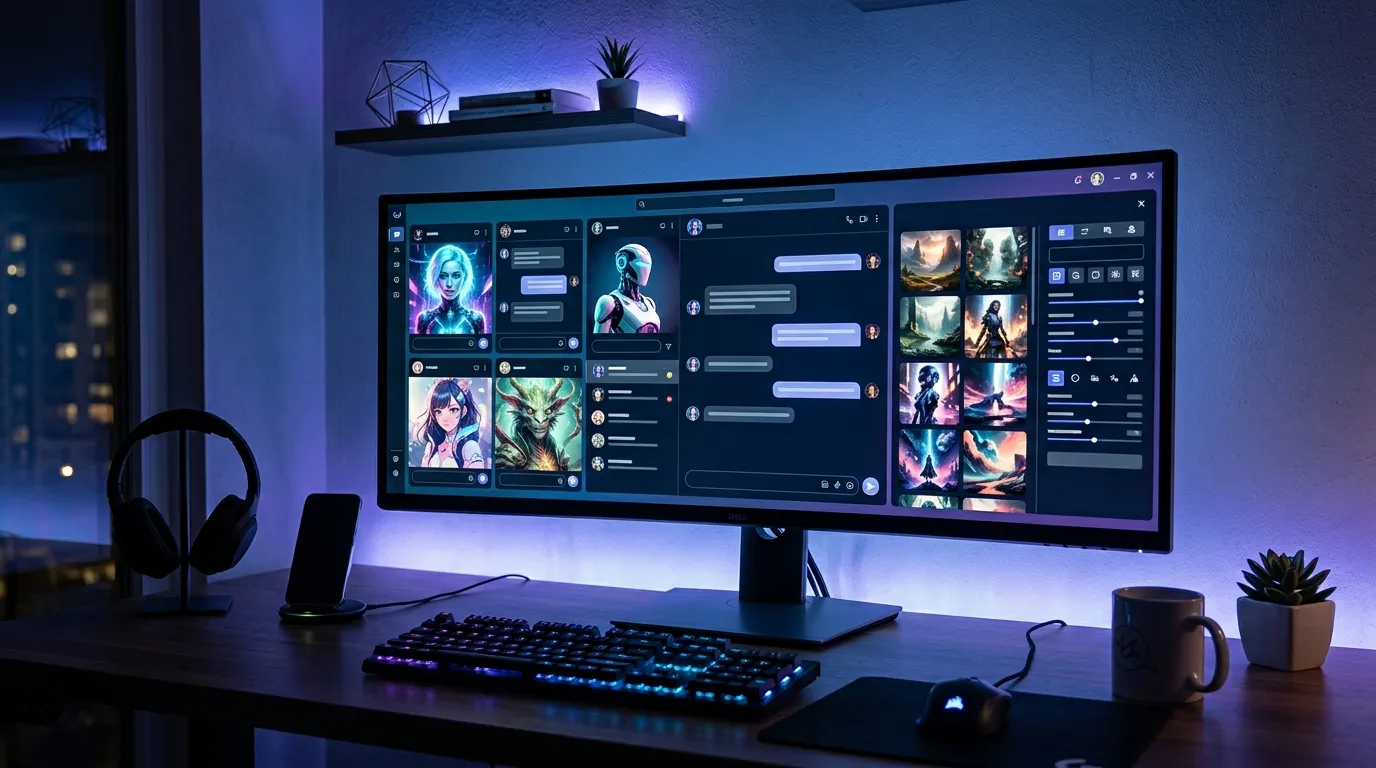
AI chat platforms have changed a lot over the last few years. Many now offer more than simple conversations. They help with roleplay, creative writing, character building, and image generation. Hammer AI is one of the platforms that combines all of these features in one place while also giving users the option to run AI models locally for more privacy.
I spent time researching Hammer AI, exploring its features, pricing, supported devices, and privacy options. What stood out to me was its ability to switch between cloud AI and local AI. That flexibility makes it useful for both casual users and people who want more control over their data.
In this review, you’ll learn what Hammer AI offers, how it works, its pricing plans, and whether the free version is enough for your needs. I’ll also compare the free and paid plans to help you decide if it’s worth upgrading.
What Is Hammer AI?
Hammer AI is an AI platform built for character conversations, roleplay, creative writing, and AI image generation. It allows users to chat with ready-made AI characters or create their own using custom personalities and backgrounds.
One feature that makes Hammer AI different from many AI chat platforms is its support for both cloud AI models and local AI models. If your computer meets the hardware requirements, you can run supported AI models directly on your device instead of relying only on cloud servers. This gives you more control over privacy and lets you continue chatting even without an internet connection.
The platform is available through a web browser, desktop application, and mobile apps, making it easy to switch between devices. Besides AI chat, it also includes image generation, text-to-speech, conversation memory, and lorebooks that help keep stories and characters consistent during longer conversations.
Whether you want an AI companion, write stories, build fictional worlds, or experiment with AI characters, Hammer AI brings those tools together in a single platform.
Key Features of Hammer AI
Hammer AI includes several tools that go beyond basic AI chatting. After exploring the platform, I found that its strongest features focus on flexibility, customization, and privacy.
- AI character chat with custom or community-created characters.
- Create and edit your own AI characters with unique personalities.
- Support for both cloud AI models and local AI models.
- Offline chatting when using compatible local AI models.
- AI image generation using multiple image models.
- Group conversations with up to 10 AI characters.
- Persona system to customize how the AI responds to you.
- Lorebooks for storing story details and character information.
- Conversation memory for better long-term context on supported plans.
- Advanced model settings such as Temperature, Top P, Top K, Min P, and Repetition Penalty.
- Text-to-speech with hundreds of voice options across multiple languages.
- Available on Windows, macOS, Linux, Android, iPhone, and web browsers.
- Free plan available for new users.
- Paid plans with larger context windows, more AI models, and monthly credits.
- Credit packs that never expire for image generation and text-to-speech.
These features make Hammer AI suitable for much more than casual chatting. It can support creative writing, interactive storytelling, roleplay, AI companions, and other projects where longer conversations and character consistency matter.
How Hammer AI Works?
Getting started with Hammer AI is straightforward, even if you have never used an AI character platform before. The interface guides you through choosing a model, selecting a character, and starting a conversation within a few minutes.
- Visit the web app or install the desktop or mobile application.
- Create an account if you want cloud features and subscription access. Local AI can be used without signing in.
- Choose between a cloud AI model or a compatible local AI model.
- Browse the character library or create your own custom character.
- Add a personal profile or persona to influence how conversations develop.
- Start chatting with one character or create a group conversation.
- Generate AI images directly within supported chats if needed.
- Save conversations and continue them later.
- Upgrade your subscription if you need larger context windows, additional AI models, or more monthly credits.
The platform lets you choose how you want to use AI. Some users may prefer fast cloud models, while others may value offline access and local processing for extra privacy.
Hammer AI Pricing Explained
Hammer AI offers one free plan and three paid subscription plans. The higher the plan, the more AI models, larger context windows, and monthly credits you receive.
Free Plan
- Price: Free
- Local AI support
- API proxy access
- 600 cloud messages per day
- Access to 2 cloud AI models
- 8,192 token context window
This plan is a good starting point if you want to explore the platform before paying for a subscription.
Starter Plan
- Price: $9 per month
- Unlimited cloud messages
- Access to 5 cloud AI models
- 16,384 token context window
- 1,500 monthly credits
- AI image generation
- Conversation memory
- Text-to-speech
- Private Discord access
The Starter plan offers enough features for most casual users who chat regularly and create AI images occasionally.
Advanced Plan
- Price: $18 per month
- Unlimited cloud messages
- Access to 8 cloud AI models
- 32,768 token context window
- 3,500 monthly credits
- AI image generation
- Conversation memory
- Text-to-speech
- Private Discord access
This plan is better suited for users who have longer conversations, create more content, or use AI daily.
Ultimate Plan
- Price: $35 per month
- Unlimited cloud messages
- Access to 14 cloud AI models
- 65,536 token context window
- 9,000 monthly credits
- AI image generation
- Conversation memory
- Text-to-speech
- Private Discord access
Ultimate is the best choice for heavy users who want the largest context window, maximum monthly credits, and access to the widest range of cloud AI models.
Hammer AI Free vs Paid
The free version offers enough features to explore the platform, but paid plans remove many of the limits. If you use Hammer AI regularly for roleplay, creative writing, or image generation, upgrading provides more flexibility and better long-term value.
| Feature | Free Plan | Paid Plans |
|---|---|---|
| Price | Free | Starts at $9/month |
| Cloud Messages | 600 per day | Unlimited |
| Cloud AI Models | 2 | Up to 14 |
| Local AI Support | Yes | Yes |
| Context Window | 8,192 tokens | Up to 65,536 tokens |
| AI Image Generation | Credits required | Included with monthly credits |
| Conversation Memory | No | Yes |
| Text-to-Speech | No | Yes |
| Monthly Credits | None | Up to 9,000 |
| Private Discord Access | No | Yes |
If you’re new to Hammer AI, the free plan gives you enough access to understand how the platform works. After testing its features, upgrading makes the biggest difference if you need longer conversations, more AI models, regular image generation, or additional monthly credits.
Hammer AI Privacy and Security
Privacy is one area where Hammer AI stands out. It gives users more control over where conversations are processed and whether an account is required.
- Local AI conversations remain on your own device.
- Local AI can be used without creating an account.
- Offline chatting is available with supported local models.
- Cloud features require an internet connection.
- Image generation and text-to-speech use cloud services.
- You can choose between local processing and cloud processing based on your needs.
- Desktop users can keep AI conversations private by using local models.
- Subscription management is available directly from your account.
This flexible approach allows users to balance convenience and privacy. If you mainly use local AI, you keep greater control over your conversations while still having the option to switch to cloud features whenever needed.
Supported Devices By Hammer AI
Hammer AI works across several platforms, making it easy to continue conversations from different devices.
- Windows desktop
- macOS with Apple Silicon
- macOS with Intel processors
- Linux (Debian)
- Linux (Flatpak)
- Android phones and tablets
- iPhone and iPad
- Web browsers including Chrome, Edge, Firefox, and Safari
The desktop application is the best option if you plan to use local AI models. The web and mobile versions are convenient for cloud AI and everyday chatting.
Hammer AI Performance Test
After reviewing the platform’s features and capabilities, these are the areas where Hammer AI performs well and where users should set realistic expectations.
- Character conversations stay consistent during longer chats when memory features are available.
- Local AI offers complete offline access if your hardware supports compatible models.
- Cloud AI provides faster setup because no local installation is required.
- Image generation is built directly into the platform instead of requiring separate software.
- Group chats support conversations with up to 10 AI characters.
- Larger context windows on higher plans help maintain longer conversations.
- Advanced settings allow experienced users to adjust model behavior.
- Switching between local and cloud AI provides more flexibility than many competing platforms.
- Desktop, mobile, and web versions create a consistent user experience across devices.
Performance still depends on how you use the platform. Local AI relies on your computer’s hardware, while cloud AI delivers a more consistent experience across different devices.
Hammer AI Limitations
No AI platform is perfect, and Hammer AI also has a few limitations that are worth knowing before choosing a plan.
- Local AI requires compatible hardware for good performance.
- Cloud features cannot be used without an internet connection.
- The free plan limits cloud messages to 600 per day.
- Higher context windows are available only on paid plans.
- AI image generation uses credits.
- Text-to-speech also consumes credits.
- Some advanced features are locked behind subscriptions.
- Learning advanced model settings may take time for beginners.
- Local AI setup may require extra configuration depending on the model you choose.
These limitations are common among AI platforms, but most users can avoid them by selecting the plan that matches their needs.
Who Should Use Hammer AI?
Hammer AI supports a wide range of users because it combines AI chat, storytelling, image generation, and local AI support in one platform. The best plan depends on how often you use AI and which features matter most.
Hammer AI is a good choice for:
- Writers who want help with stories, dialogue, and character development.
- Roleplay fans looking for interactive AI conversations.
- Creative users building original characters and fictional worlds.
- People who prefer AI companions for casual conversations.
- Privacy focused users who want to run AI models locally.
- Users who want offline AI chatting on supported hardware.
- Content creators who need AI generated images.
- Beginners looking for a free AI character platform before upgrading.
- Advanced users who want to adjust AI settings for different conversation styles.
Whether you want simple conversations or more advanced creative tools, Hammer AI offers features that fit different experience levels.
Common Hammer AI Problems and Fixes
Most users can start using Hammer AI without major issues. However, a few common problems may appear depending on your device, internet connection, or subscription.
- Local AI model won’t load
- Check that your computer meets the hardware requirements and supports compatible local AI models.
- Slow AI responses
- Close unnecessary programs or switch to a cloud AI model for faster performance.
- Cannot use cloud features
- Verify your internet connection and make sure you are signed in to your account.
- Image generation is unavailable
- Confirm that you have enough credits before generating new images.
- Text-to-speech is not working
- Check your available credits and select a supported voice.
- Conversation feels less consistent
- Use plans with conversation memory and larger context windows for longer chats.
- Cannot access subscription features
- Confirm that your subscription is active and linked to the correct account.
- Offline mode is unavailable
- Install the desktop application and use supported local AI models instead of cloud models.
Most issues can be solved within a few minutes by checking your settings, internet connection, or available credits.
Hammer AI vs Competitors
Hammer AI competes with several popular AI character platforms. Each tool focuses on different types of users, so the right choice depends on your priorities.
| Feature | Hammer AI | Character AI | Janitor AI | SillyTavern | Backyard AI | NovelAI |
|---|---|---|---|---|---|---|
| Free Plan | Yes | Yes | Yes | Yes | Yes | No |
| Local AI Support | Yes | No | Limited | Yes | Yes | No |
| Offline Chat | Yes | No | No | Yes | Yes | No |
| AI Character Chat | Yes | Yes | Yes | Yes | Yes | Limited |
| Character Creation | Yes | Yes | Yes | Yes | Yes | Yes |
| AI Image Generation | Yes | Limited | No | Depends on setup | Limited | Yes |
| Desktop App | Yes | No | No | Yes | Yes | No |
| Mobile App | Yes | Yes | Browser | No | No | No |
| Best For | Privacy and flexibility | Casual AI chat | Roleplay | Advanced users | Local AI | Story writing |
Hammer AI stands out because it combines cloud AI, local AI, offline support, mobile apps, desktop software, and image generation in one platform. Other tools perform well in specific areas, but few offer this level of flexibility.
Frequently Asked Questions
Can Hammer AI work offline?
Yes. Hammer AI supports offline chatting through compatible local AI models on the desktop application. Cloud features such as image generation still require an internet connection.
Does Hammer AI have a desktop app?
Yes. Hammer AI offers desktop applications for Windows, macOS, and Linux, allowing users to run supported local AI models.
Which Hammer AI plan offers the best value?
The Starter Plan at $9 per month offers the best value for most users because it includes unlimited cloud messages, five AI models, conversation memory, image generation credits, and text-to-speech.
Does Hammer AI require an account?
No. You can use local AI models without creating an account. An account is only needed for cloud AI features, subscriptions, and credit purchases.
Final Verdict
Hammer AI is more than a standard AI chatbot. It combines AI character conversations, storytelling, image generation, and local AI support in one platform. The option to switch between local and cloud AI makes it suitable for both privacy focused users and those who prefer a simple cloud experience.
I found its flexibility to be one of its biggest strengths. Being able to chat offline with local AI while still having access to cloud models, mobile apps, and advanced features gives users more choice than many competing platforms.
The free plan is enough to explore the platform and understand how it works. If you plan to use Hammer AI regularly for creative writing, roleplay, or longer conversations, one of the paid plans provides larger context windows, more AI models, monthly credits, and conversation memory.
Overall, Hammer AI is a solid choice for writers, roleplay enthusiasts, AI hobbyists, and anyone looking for a platform that balances creative features, privacy, and flexibility.
Also Read: Muah AI Review: Pricing, Features, Pros & Cons, & Alternatives
