
Every day, original designs are shared across websites, social media, and online marketplaces, making them easier to copy without permission.
Traditional methods like watermarks and reverse image searches offer some protection, but they may not detect edited or modified copies.
I came across GFXRobotection AI Software by GFXMaker while exploring AI tools for artwork protection.
In this guide, I’ll explain what it is, how it works, its key features, and whether it’s a good choice for designers, businesses, and digital creators.
What Is GFXRobotection AI Software by GFXMaker?
GFXRobotection AI Software by GFXMaker is an AI based artwork protection tool created to help creators monitor and protect their digital images. It uses artificial intelligence to recognize visual patterns in an image instead of depending only on traditional watermarks. This makes it easier to identify copied or modified versions of original artwork that appear online.
The software is built for people who regularly publish digital content, including graphic designers, photographers, illustrators, and businesses. After an image is uploaded, the software creates a unique digital identity that can be used to compare the original with similar images found across supported online sources.
Unlike copyright registration, GFXRobotection AI does not grant legal ownership of an image. Instead, it helps creators keep track of where their work may appear online and identify possible unauthorized use. It works as a monitoring and detection solution rather than a replacement for copyright protection.
Why Graphic Designers Need AI Artwork Protection Today?
Digital artwork can be copied, edited, resized, or shared within minutes. As AI image editing tools become more common, protecting original creative work has become harder than ever. A simple watermark is often removed through cropping or editing, while reverse image searches may miss altered versions of the same design.
For graphic designers, this creates several challenges. Original logos, illustrations, marketing graphics, and social media designs may be reused without permission, reducing the value of the creator’s work. Businesses can also face brand misuse if copied graphics appear on fake websites or unauthorized products.
How GFXRobotection AI Works?
GFXRobotection AI follows a simple process that combines image analysis with automated monitoring. Instead of checking images manually, the software analyzes the uploaded file and compares it with visually similar content across supported online sources.
The process generally includes the following steps:
- Upload your original artwork to the platform.
- The AI analyzes the image and creates a unique digital fingerprint based on its visual characteristics.
- The fingerprint is securely linked to the uploaded artwork for future comparison.
- The software scans supported online sources to look for visually similar images.
- AI compares colors, shapes, textures, and other visual features instead of relying only on file names.
- If a potential match is detected, the software records the result for the user to review.
- Users can then decide whether further action is needed based on the detected match.
This automated workflow reduces the time required to search for copied artwork manually and helps creators monitor their digital assets more consistently.
Key Features of GFXRobotection AI Software
GFXRobotection AI combines several features that focus on protecting digital artwork through AI based recognition and monitoring. Instead of offering only one protection method, it brings together image analysis, monitoring, and reporting in a single workflow.
Some of its notable features include:
- AI powered image recognition to identify visually similar artwork.
- Digital fingerprint generation for uploaded images.
- Continuous monitoring of supported online sources.
- Detection of edited, resized, or modified image versions where possible.
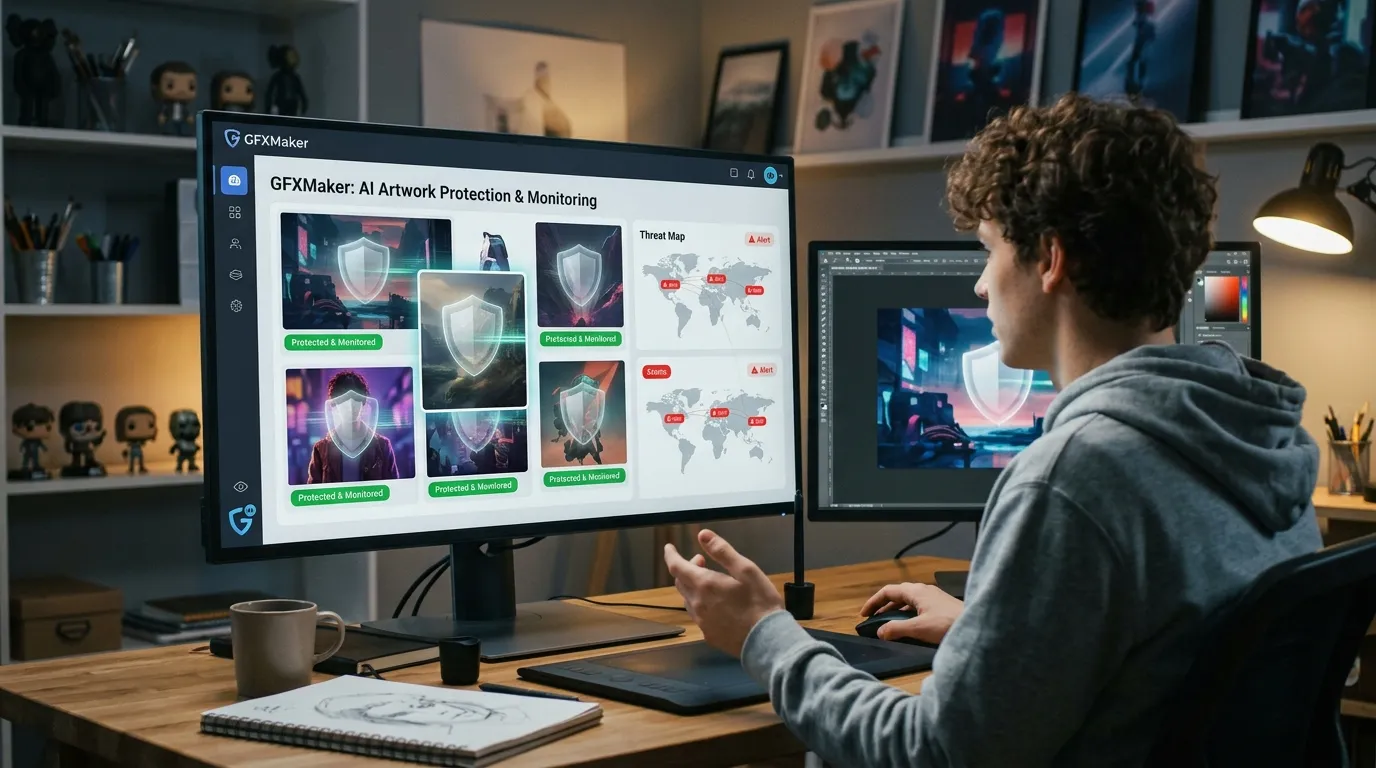
- Central dashboard for managing protected artwork.
- Match reporting to help users review possible copies.
- Support for protecting digital creative assets published online.
- Designed for designers, photographers, artists, agencies, and businesses.
- Reduces the need for repeated manual reverse image searches.
These features aim to make artwork monitoring more efficient while giving creators a better overview of where their digital content may appear online. The software works best as part of a broader content protection strategy rather than as a complete replacement for legal copyright protection.
Real World Use Cases
GFXRobotection AI is built for people and businesses that publish digital content regularly. I found that its monitoring features can support different industries where original artwork has commercial value. Instead of checking the internet manually, users can keep track of their creative assets in a more organized way.
Some common use cases include:
- Graphic designers: Monitor logos, banners, brochures, and brand assets for unauthorized use.
- Digital artists: Track illustrations and artwork shared on websites, online galleries, and social media.
- Photographers: Watch for copied or reused images that appear without permission.
- Marketing agencies: Protect client creatives, advertising materials, and campaign graphics.
- eCommerce businesses: Monitor product images, promotional banners, and branded visuals across online stores.
- Print on demand sellers: Check whether original designs are being reused on other marketplaces.
- Content creators: Protect thumbnails, digital graphics, and social media visuals used for videos and online content.
- Brand owners: Identify possible misuse of company logos and marketing materials.
These examples show how AI based image monitoring can fit into different creative workflows. The software is most useful for people who publish original digital assets frequently.
Benefits of Using GFXRobotection AI
Protecting digital artwork is no longer limited to adding a watermark. AI based monitoring gives creators another way to keep an eye on their work after it has been published. While results depend on how and where images appear online, the software offers several practical advantages.
Some of the main benefits include:
- Saves time by reducing manual reverse image searches.
- Helps detect visually similar copies across supported online sources.
- Supports creators in monitoring valuable digital assets.
- Works with AI based image recognition instead of relying only on file names.
- Helps businesses monitor brand graphics and promotional materials.
- Organizes protected artwork from one dashboard.
- Makes it easier to review possible matches before deciding on further action.
- Can support freelancers, agencies, and businesses that publish large numbers of images.
Although no software can guarantee complete protection against image theft, AI monitoring can make the detection process much faster and more efficient than manual searches.
Limitations You Should Know
Like any AI powered tool, GFXRobotection AI has limits. Understanding these helps users set realistic expectations and decide whether it fits their workflow.
Some important limitations include:
- It cannot stop someone from downloading or copying an image.
- It does not replace copyright registration or legal ownership.
- Detection accuracy may vary depending on image edits and where the content appears online.
- False positives are possible, so detected matches should always be reviewed manually.
- Some private websites or restricted platforms may not be included in monitoring.
- AI cannot guarantee that every copied image will be detected.
- Users may still need to take legal or administrative action after identifying unauthorized use.
These limitations do not reduce the software’s usefulness, but they show that it works best as a monitoring tool rather than a complete copyright solution.
GFXRobotection AI vs Other Artwork Protection Software
Choosing artwork protection software depends on your workflow and the type of content you publish. Some tools focus on invisible watermarking, while others specialize in copyright monitoring or brand protection. The table below compares GFXRobotection AI with several well known alternatives.
| Feature | GFXRobotection AI | Pixsy | Digimarc | Imatag |
|---|---|---|---|---|
| AI based image recognition | Yes | Yes | Limited | Yes |
| Artwork monitoring | Yes | Yes | Limited | Yes |
| Digital fingerprinting | Yes | No | Yes | Yes |
| Invisible watermarking | No | No | Yes | Yes |
| Copyright claim support | Limited | Yes | No | Limited |
| Best suited for | Designers, artists, businesses | Photographers | Enterprise brands | Creative professionals |
Each platform offers different strengths. GFXRobotection AI focuses on AI powered image recognition and monitoring, while some competitors provide additional services such as invisible watermarking or copyright claim assistance.
Who Should Use GFXRobotection AI?
GFXRobotection AI is most useful for people who regularly create and publish original digital content. The more valuable your artwork is, the more helpful continuous monitoring can become.
It may be a good choice for:
- Graphic designers working with client projects.
- Freelance illustrators and digital artists.
- Professional photographers.
- Marketing and advertising agencies.
- eCommerce businesses with branded product images.
- Print on demand sellers.
- Social media content creators.
- Companies managing valuable brand assets.
- Small businesses building a recognizable visual identity.
For these users, automated monitoring can save time and help identify possible unauthorized use more efficiently.
Who May Not Need It?
Although GFXRobotection AI offers useful monitoring features, it may not be necessary for every creator. Some users publish only a small amount of content or rarely share original artwork online.
You may not need this software if:
- You only create graphics for personal use.
- Your artwork is never published online.
- You publish very few digital images each year.
- You already use another enterprise level artwork protection solution.
- You do not need ongoing image monitoring.
If protecting digital content is not a regular concern, simpler methods such as keeping original files, using metadata, or adding watermarks may be enough for your needs.
Frequently Asked Questions
Is GFXRobotection AI free?
The available information does not clearly confirm a free version. If you plan to use the software, check the latest pricing and licensing options before downloading.
Can it detect edited images?
Yes, the software is designed to recognize visually similar images, including some that have been resized, cropped, or slightly modified. Detection depends on how much the original image has changed.
Does it work with PNG and JPEG files?
PNG and JPEG are the most common image formats used by designers, and the software is intended to work with standard digital image files. Check the latest documentation for a complete list of supported formats.
Is GFXRobotection AI safe?
The software is designed to help protect digital artwork through AI based monitoring. As with any online platform, you should review its privacy policy and data handling practices before uploading important creative assets.
Conclusion
GFXRobotection AI Software by GFXMaker offers a modern way to monitor and protect digital artwork using artificial intelligence. Instead of relying only on visible watermarks, it focuses on AI based image recognition to identify visually similar copies across supported online sources.
After reviewing its features, I see it as a practical option for graphic designers, photographers, artists, agencies, and businesses that publish original digital content regularly. It can reduce the time spent searching for copied artwork and provide a more organized way to monitor creative assets.
