

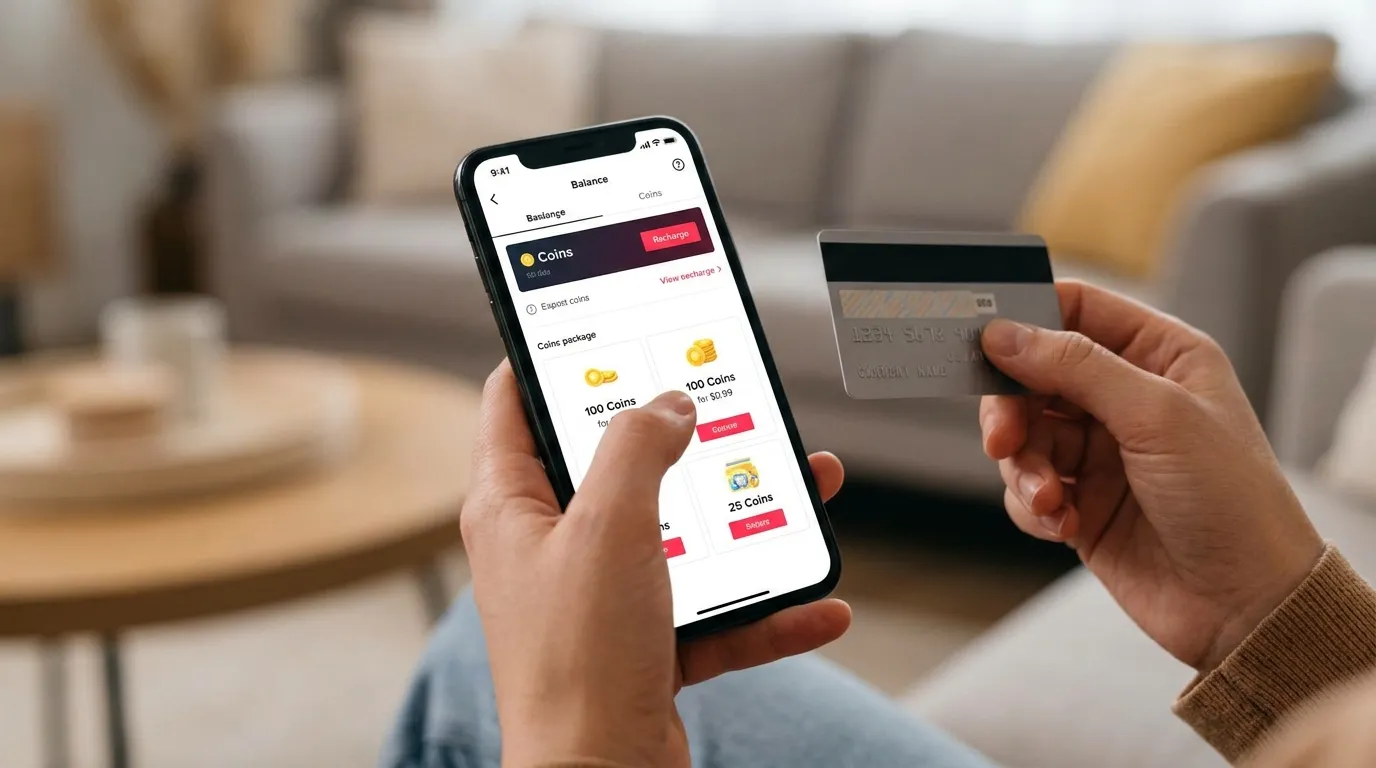
TikTok Coins are the platform’s virtual currency that lets users support creators through digital gifts. If you enjoy watching TikTok LIVE streams or videos with gifting enabled, Coins are what you use to send those gifts. Creators then receive Diamonds based on the gifts they earn, which they can later redeem if they meet TikTok’s payout requirements.
Many people search for TikTok Coins because they want to know how they work, how much they cost, and whether buying them through the app or website makes a difference. I had the same questions when I first looked into TikTok’s virtual currency system. After using the platform and reviewing how the process works, I found that understanding Coins is much easier once you know how they move from your wallet to a creator.
This guide explains what TikTok Coins are, how they work, what you can use them for, how to buy them, and what to expect before making a purchase.
What Are TikTok Coins?
TikTok Coins are a virtual currency that you purchase with real money and store in your TikTok Wallet. You can then spend these Coins to send virtual gifts to creators during eligible LIVE streams and videos. Instead of receiving Coins directly, creators earn Diamonds based on the gifts they receive. Those Diamonds may later be redeemed for money if they qualify under TikTok’s creator payout rules.
Unlike regular money, TikTok Coins stay inside the platform. You cannot use them outside TikTok, transfer them to another account, or convert them back into cash after buying them. Their main purpose is to let viewers support creators in a simple and interactive way while enjoying live content.
How TikTok Coins Work?
TikTok Coins move through a simple process from purchase to creator rewards. Once I understood this flow, it became much easier to see how the platform’s virtual economy works.
- Buy TikTok Coins using real money through the TikTok app or website.
- The purchased Coins appear in your TikTok Wallet.
- Use your Coins to buy virtual gifts during eligible LIVE streams or videos.
- The creator receives Diamonds based on the value of the gifts sent.
- Creators who meet TikTok’s requirements can redeem eligible Diamonds for real money.
- TikTok keeps a portion of the gift value before calculating creator earnings.
This process helps viewers support creators without sending money directly. Everything happens inside TikTok, making purchases, gifting, and creator rewards easy to manage.
What Can You Use TikTok Coins For?
TikTok Coins are mainly used to support creators and access certain platform features. Their available uses may change over time as TikTok adds new tools and updates.
- Send virtual gifts during TikTok LIVE streams.
- Send gifts on eligible videos where the gifting feature is available.
- Show appreciation to your favorite creators during broadcasts.
- Purchase Coins for TikTok Promote campaigns in supported regions and accounts.
- Join certain special events or features that require virtual gifts.
Most users buy Coins to interact with creators during LIVE sessions. If gifting is available, sending a virtual gift is one of the easiest ways to support content you enjoy.
How to Buy TikTok Coins?
Buying TikTok Coins only takes a few minutes if your account supports the feature. You can purchase them through the mobile app or directly from the TikTok website using available payment methods.
- Open TikTok and sign in to your account.
- Go to your Profile and open your TikTok Wallet.
- Select the Coin package you want to buy.
- Choose an available payment method.
- Confirm the purchase.
- Wait for the Coins to appear in your Wallet balance.
- Start using your Coins to send gifts or access supported features.
Many users also buy Coins from TikTok’s website because pricing may be lower than buying through the mobile app. The available payment methods and Coin packages can vary by country.
TikTok Coin Prices
TikTok does not have one fixed global price for Coins. The amount you pay depends on your country, local taxes, exchange rates, payment platform, and whether you buy through the app or website. Prices can also change over time, so always check your TikTok Wallet before completing a purchase.
Below are approximate U.S. prices for common Coin packages. Actual prices may vary.
| TikTok Coins | Approximate Price (USD) |
|---|---|
| 70 Coins | $0.74 |
| 350 Coins | $3.70 |
| 700 Coins | $7.40 |
| 1,400 Coins | $14.80 |
| 3,500 Coins | $37.00 |
| 7,000 Coins | $74.00 |
| 17,500 Coins | $185.00 |
Larger Coin packages often offer better value for frequent users, while smaller packages work well if you only send gifts occasionally. Before buying, compare the price on both the TikTok app and website because the total cost may differ depending on where you complete the purchase.
How to Recharge TikTok Coins?
Recharging TikTok Coins means adding more Coins to your TikTok Wallet after using your current balance. The process is simple and works much like buying Coins for the first time. If your balance runs low while watching a LIVE stream, you can recharge it in just a few steps.
- Open the TikTok app or visit the TikTok website and sign in.
- Go to your Profile and open your TikTok Wallet.
- Select Recharge or choose a Coin package.
- Pick the number of Coins you want to buy.
- Select an available payment method.
- Confirm the payment and complete the purchase.
- Wait a few moments for the updated Coin balance to appear in your Wallet.
If your recharge does not appear immediately, refresh the app, check your payment confirmation, or wait a few minutes before trying again. Most successful purchases are added to your Wallet shortly after payment.
How to Check Your TikTok Coin Balance?
Keeping track of your Coin balance helps you know how many Coins are available before sending gifts or using other supported features. I usually check my Wallet before joining a LIVE session so I know whether I need to recharge.
- Open TikTok and sign in.
- Tap your Profile.
- Open Settings and go to Balance or TikTok Wallet.
- View your available Coin balance.
- Check your recent Coin purchases if needed.
Checking your balance regularly also helps you confirm that a recent purchase was added successfully and lets you plan future Coin purchases more easily.
How to Send Gifts Using TikTok Coins?
Sending gifts is the main reason most people buy TikTok Coins. Once you have Coins in your Wallet, you can support eligible creators during LIVE streams or videos where gifting is available.
- Open a TikTok LIVE stream or an eligible video.
- Tap the Gift icon.
- Browse the available virtual gifts.
- Select the gift you want to send.
- Confirm the gift using your available Coins.
- Your Coin balance updates automatically after the gift is sent.
Every gift costs a certain number of Coins, so your Wallet balance decreases based on the gift you choose. Creators receive Diamonds from those gifts instead of receiving your Coins directly.
How Creators Make Money from TikTok Coins?
TikTok Coins help creators earn money, but they do not receive Coins directly. The platform converts the gifts viewers send into Diamonds, which can later become eligible earnings.
- Viewers purchase TikTok Coins with real money.
- Viewers use those Coins to send virtual gifts.
- TikTok converts eligible gifts into Diamonds.
- Creators collect Diamonds in their accounts.
- Eligible creators can redeem Diamonds for money after meeting TikTok’s requirements.
- TikTok keeps a portion of the gift value before calculating the creator’s earnings.
This system gives creators a way to earn from audience support while allowing viewers to show appreciation through virtual gifts instead of direct cash payments.
Why Are TikTok Coins Cheaper on the Website?
Many users notice that TikTok Coins sometimes cost less on the official website than in the mobile app. I also compared both options before buying Coins and found that website prices can be lower in some regions. This difference usually happens because purchases made through the app may include fees charged by mobile app stores. Website purchases often avoid those extra platform costs, which can result in lower prices for users.
The final price still depends on your country, local taxes, exchange rates, and available payment methods. Before buying Coins, compare the total price on both the TikTok website and the app to see which option offers better value.
Can You Get Free TikTok Coins?
Many websites claim to offer free TikTok Coins, but most of these claims are misleading. There is no legitimate Coin generator that adds unlimited Coins to your TikTok account. If a website asks for your login details, promises unlimited Coins, or requires you to download unknown files, it is most likely a scam.
The safest way to receive Coins is through official purchases or any promotional offers that TikTok may provide in supported regions. Avoid third party sellers, fake recharge websites, and Coin generator tools because they can put your account and personal information at risk.
Are TikTok Coins Safe to Buy?
Yes, TikTok Coins are generally safe to buy when you purchase them through the official TikTok app or website. Payments go through supported payment methods, and the Coins are added directly to your TikTok Wallet after a successful transaction.
To keep your account secure, never buy Coins from unofficial sellers or websites that promise large discounts. Avoid sharing your TikTok password with anyone, enable two factor authentication, and always review your payment details before completing a purchase. These simple steps help protect both your account and your money.
Can You Get a Refund for TikTok Coins?
TikTok Coin purchases are generally non refundable once the Coins have been added to your Wallet and used. If you accidentally buy Coins or spend them on gifts, you usually cannot reverse the transaction.
If you notice an unauthorized purchase or a payment problem, contact the payment provider you used or TikTok Support as soon as possible. Refund requests are reviewed on a case by case basis, so approval depends on the reason for the request and the payment method.
Tips to Save Money When Buying TikTok Coins
Buying TikTok Coins wisely can help you avoid paying more than necessary. Before completing any purchase, compare your options and only buy the amount you plan to use.
- Compare Coin prices on the TikTok app and website before purchasing.
- Buy larger Coin packages only if you regularly send gifts.
- Watch for official promotions or limited time offers.
- Check local taxes before confirming your payment.
- Avoid unofficial Coin sellers offering huge discounts.
- Use a secure payment method with purchase protection.
- Recharge only when you need more Coins instead of buying extra.
A few minutes of comparison can help you save money while keeping your account secure.
Frequently Asked Questions
How much is one TikTok Coin worth?
One TikTok Coin does not have a fixed value worldwide. Its price depends on your country, taxes, exchange rates, and where you buy it.
Can I transfer TikTok Coins?
No. TikTok Coins stay in your own account and cannot be transferred to another user or creator.
Can I convert Coins into money?
No. Viewers cannot convert TikTok Coins into cash. Only eligible creators can redeem Diamonds earned from gifts.
Do Coins expire?
TikTok Coins generally remain in your Wallet until you use them. However, always review TikTok’s latest terms because platform policies can change.
Why are prices different in each country?
Coin prices vary because of local taxes, currency exchange rates, payment platform fees, and regional pricing set for different markets.
Conclusion
TikTok Coins make it easy to support creators through virtual gifts while enjoying LIVE streams and other eligible content. Once you understand how Coins, gifts, and Diamonds work together, the entire system becomes much easier to use.
Before buying TikTok Coins, compare prices on the app and website, choose a secure payment method, and purchase only from official TikTok channels. This helps you save money, protect your account, and enjoy a safer experience while supporting your favorite creators.
Also Read: Snapchat Story Viewer: View Public Snapchat Stories Anonymously
